From Order to Shipment
Follow the digital thread of a single product through the entire TAKT ERP lifecycle. See how planning, execution, and quality come together.
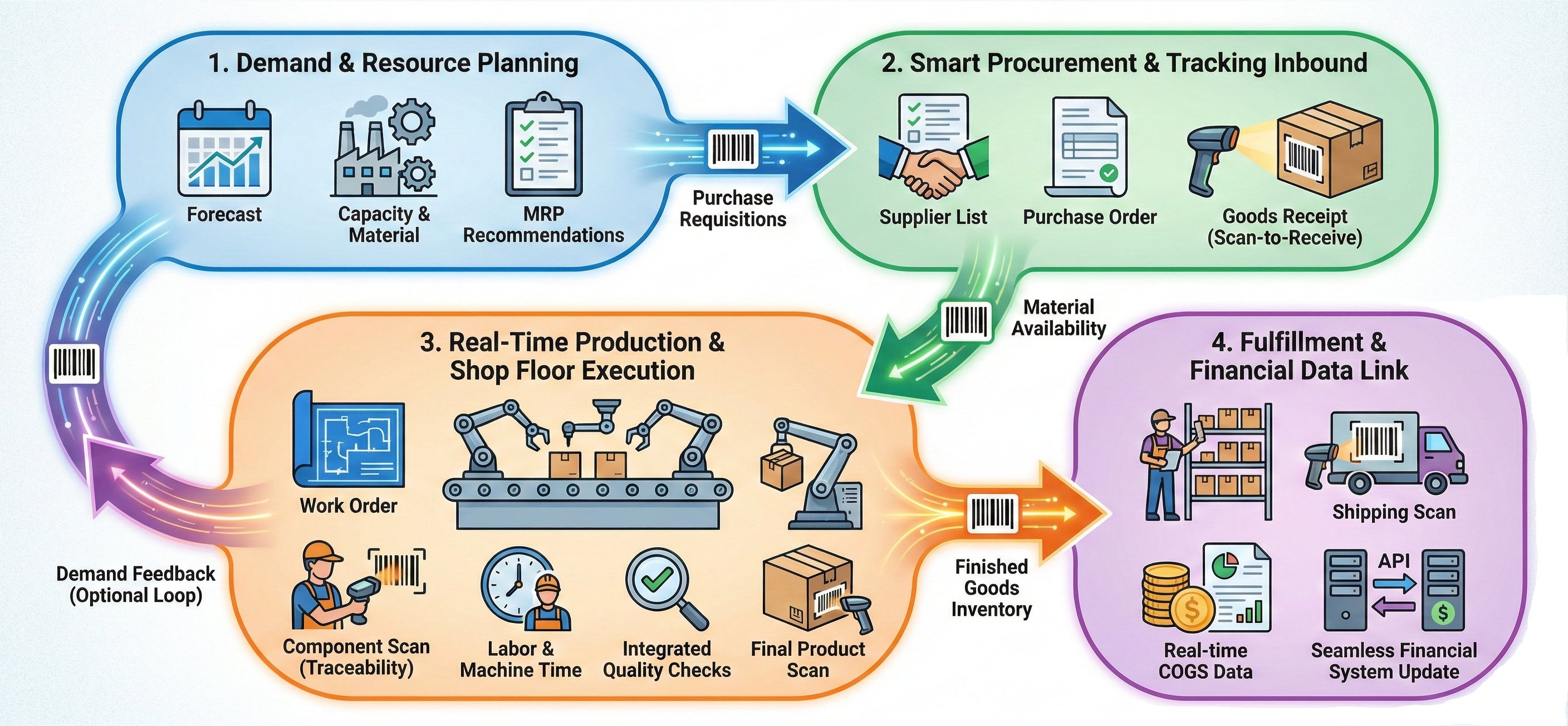
Orchestrating the Flow
1. Demand & Definition
It starts with a customer order. But in custom manufacturing, an order isn't just a quantity—it's a specification.
The "Digital Contract"
Customer attributes (e.g., "2% moisture", "Blue finish") are captured at the order level and inherited by every production step.
Mistake-Proofing
Operators see the specific requirements for this order. No confusion between similar products for different customers.
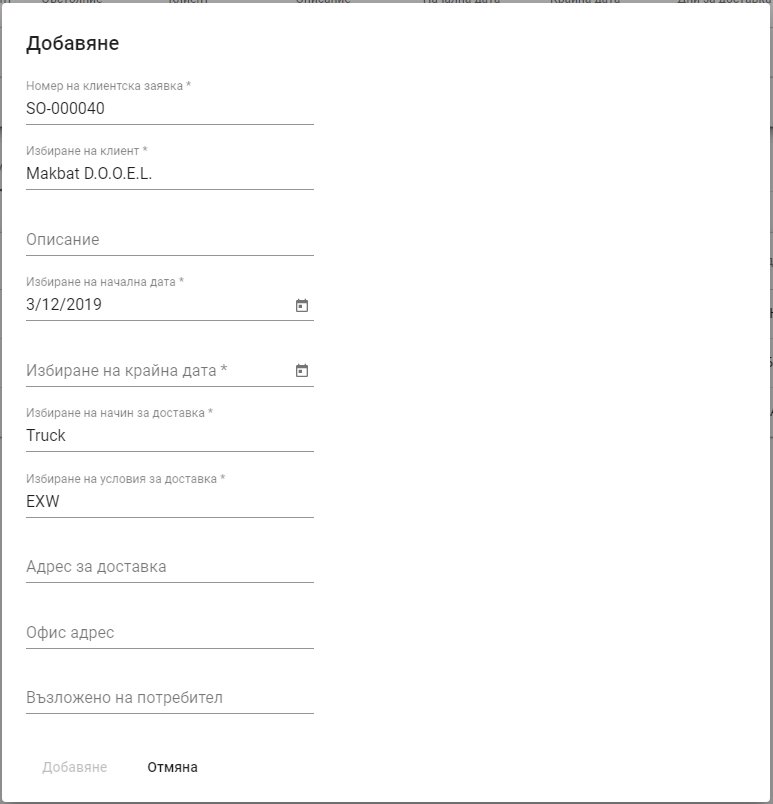
Customer Order Entry Interface
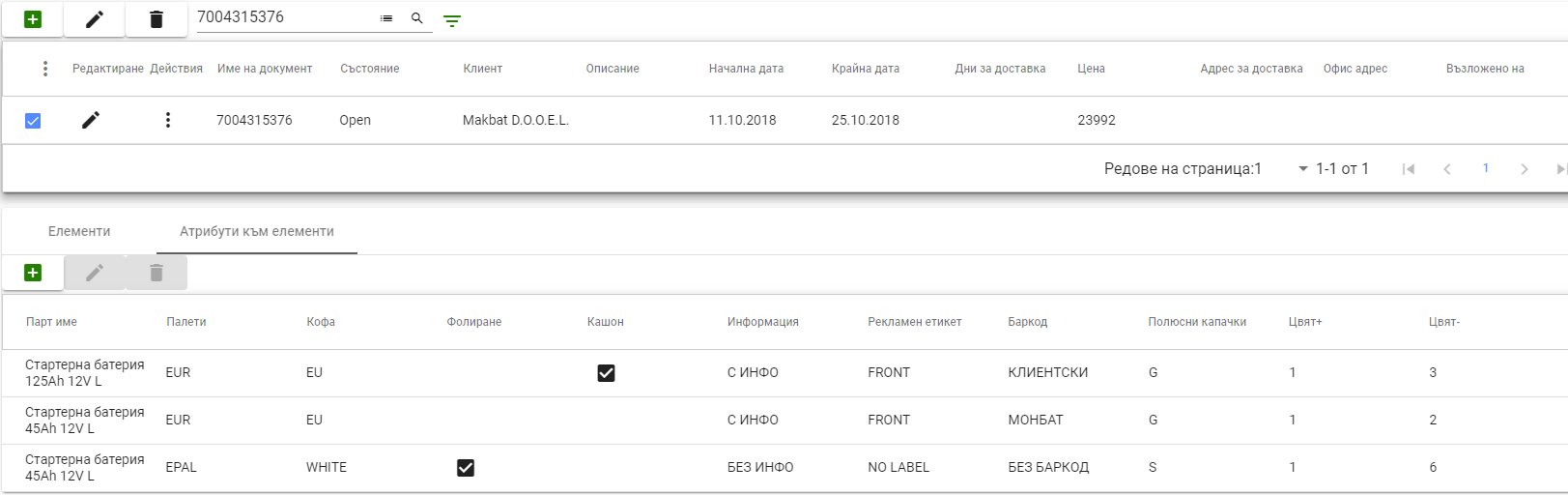
Custom Lot Attributes Definition
2. Planning & Sourcing
MRP translates demand into action. No more guessing if you have materials. The system tells you exactly what to order and when.
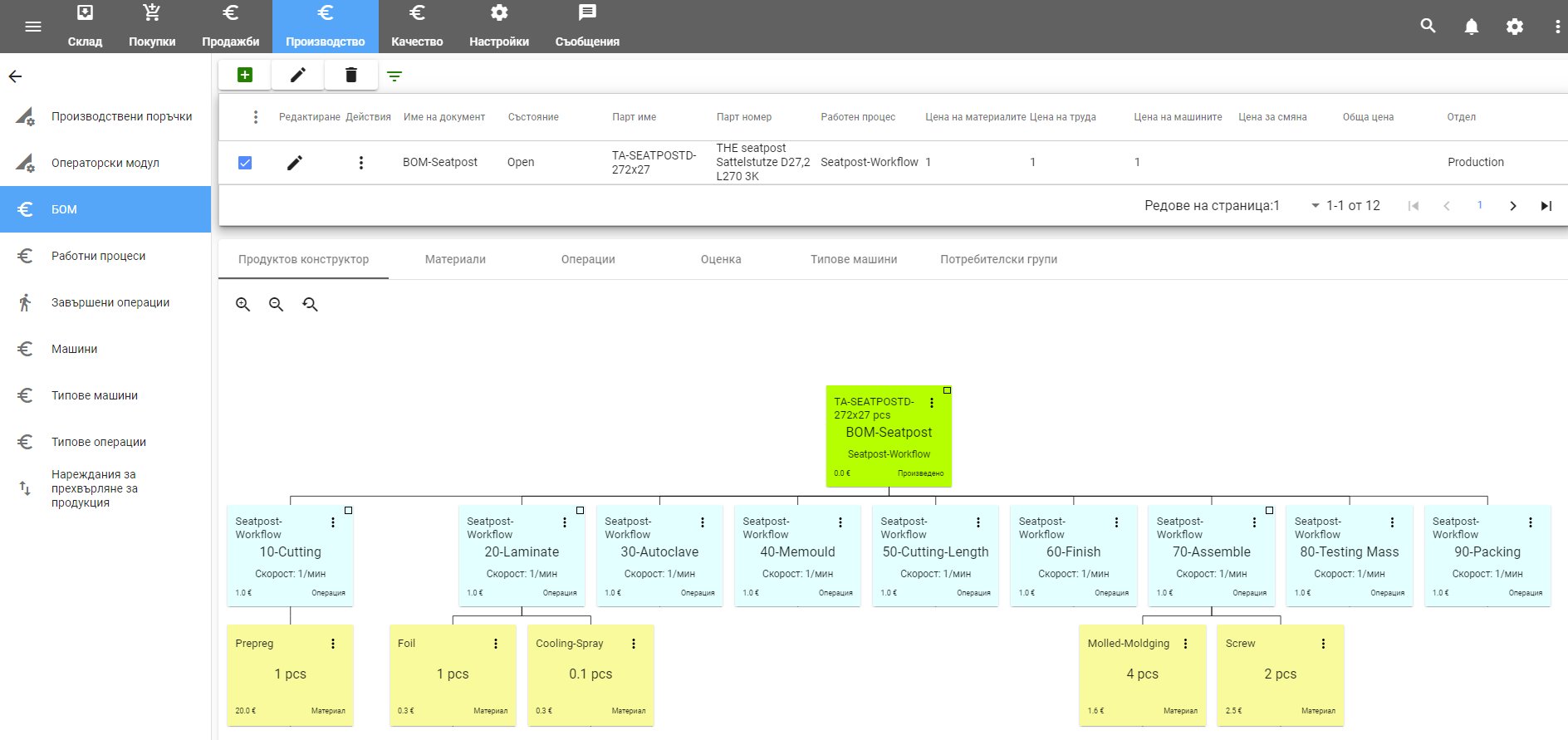
- Multilevel BOM Management
Handle complex product structures with unlimited BOM levels and automatic explosion into raw materials.
- Backward Scheduling
Calculates order dates based on lead times and delivery commitments.
- One-Click PO Creation
System remembers default suppliers and prices. Generate POs in seconds.
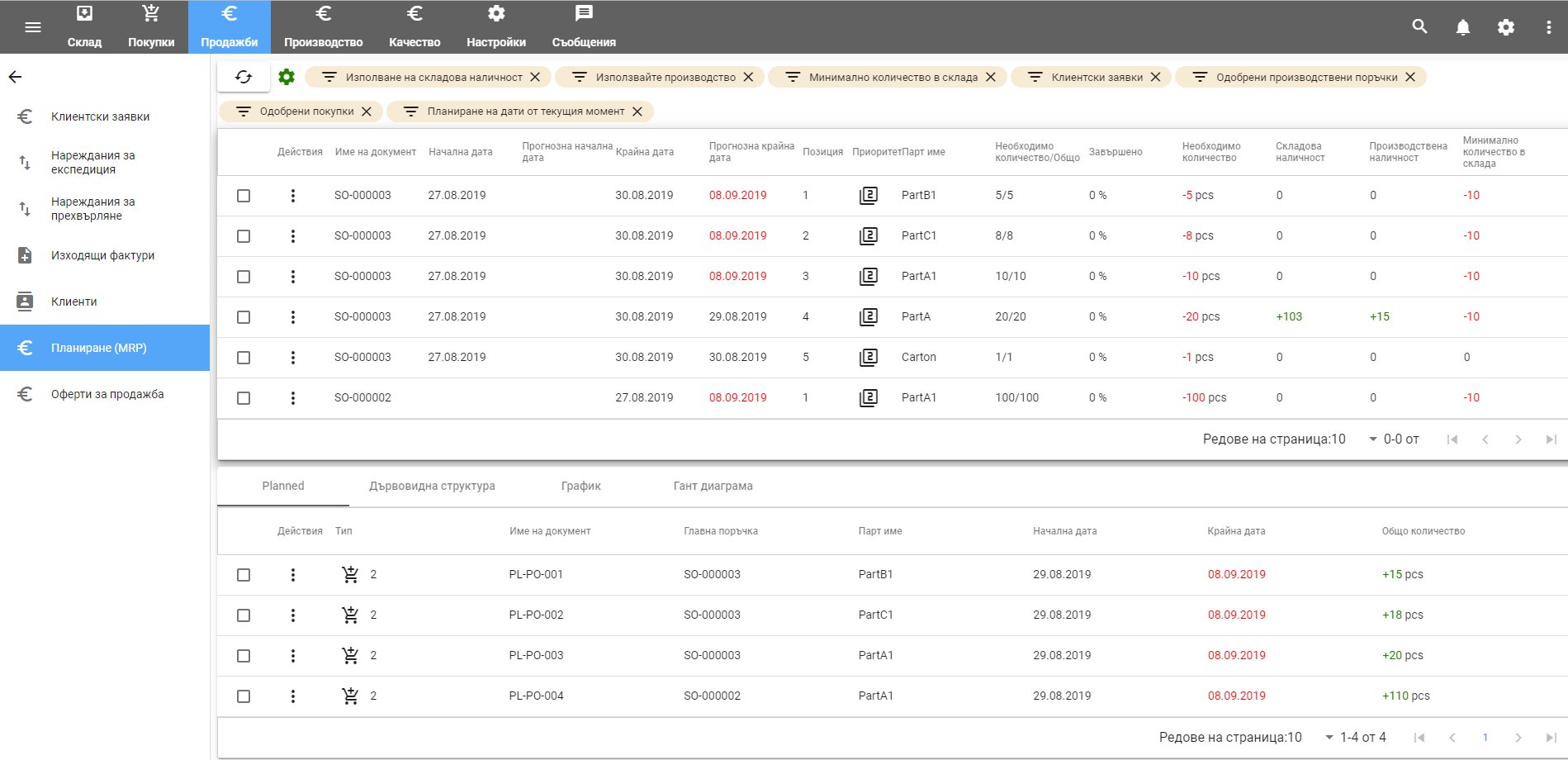
MRP Planning
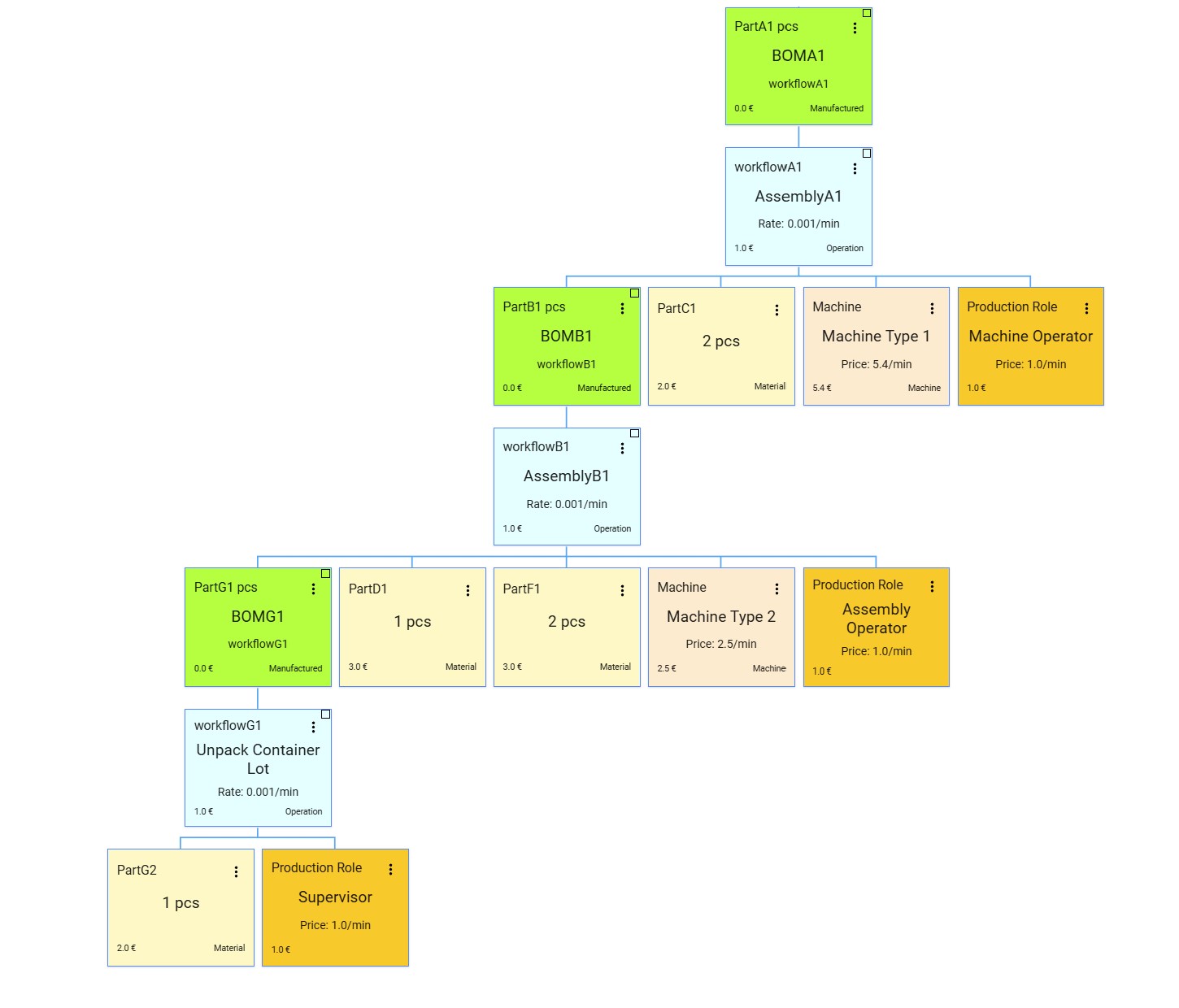
BOM Management
3. The Digital Thread Begins
Materials arrive at the dock. This is where most systems fail. In TAKT ERP, nothing enters the building without a digital ID.
1. Scan & Validate
Verify quantity against the PO immediately.
2. Generate ID
Print internal barcode label. This label follows the material forever.
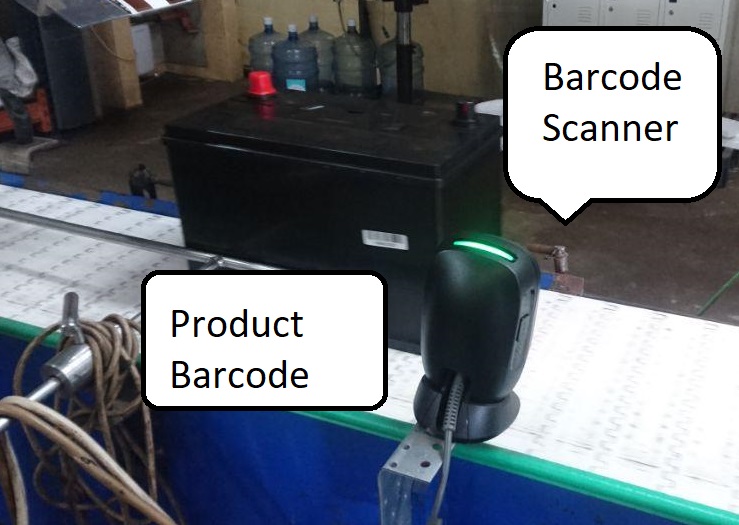
Barcode Scanner
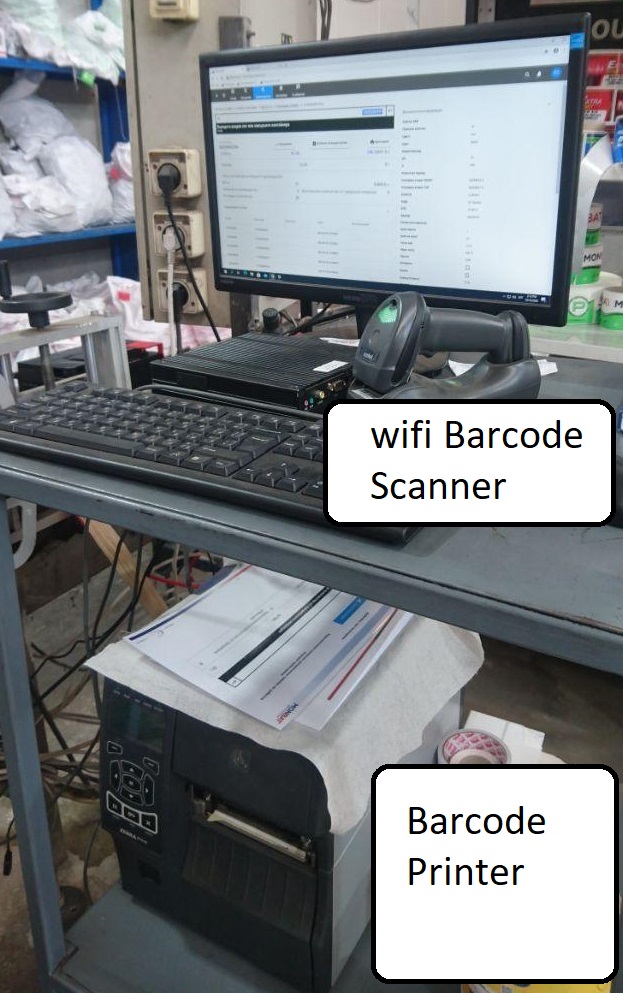
Validation Station
4. Execution & Validation
The Work Order is the "Job Ticket". Operators use the digital workspace to execute production with real-time validation. The system controls the operator, not vice versa.
Wrong Material?
If an operator scans the wrong part, the screen turns RED. The system physically prevents the mistake.
FIFO Violation?
Trying to use a newer lot when an older one exists? The system blocks it. FIFO is enforced, not just suggested.
Success
Only valid actions are recorded. This builds the Clean Data foundation for AI.
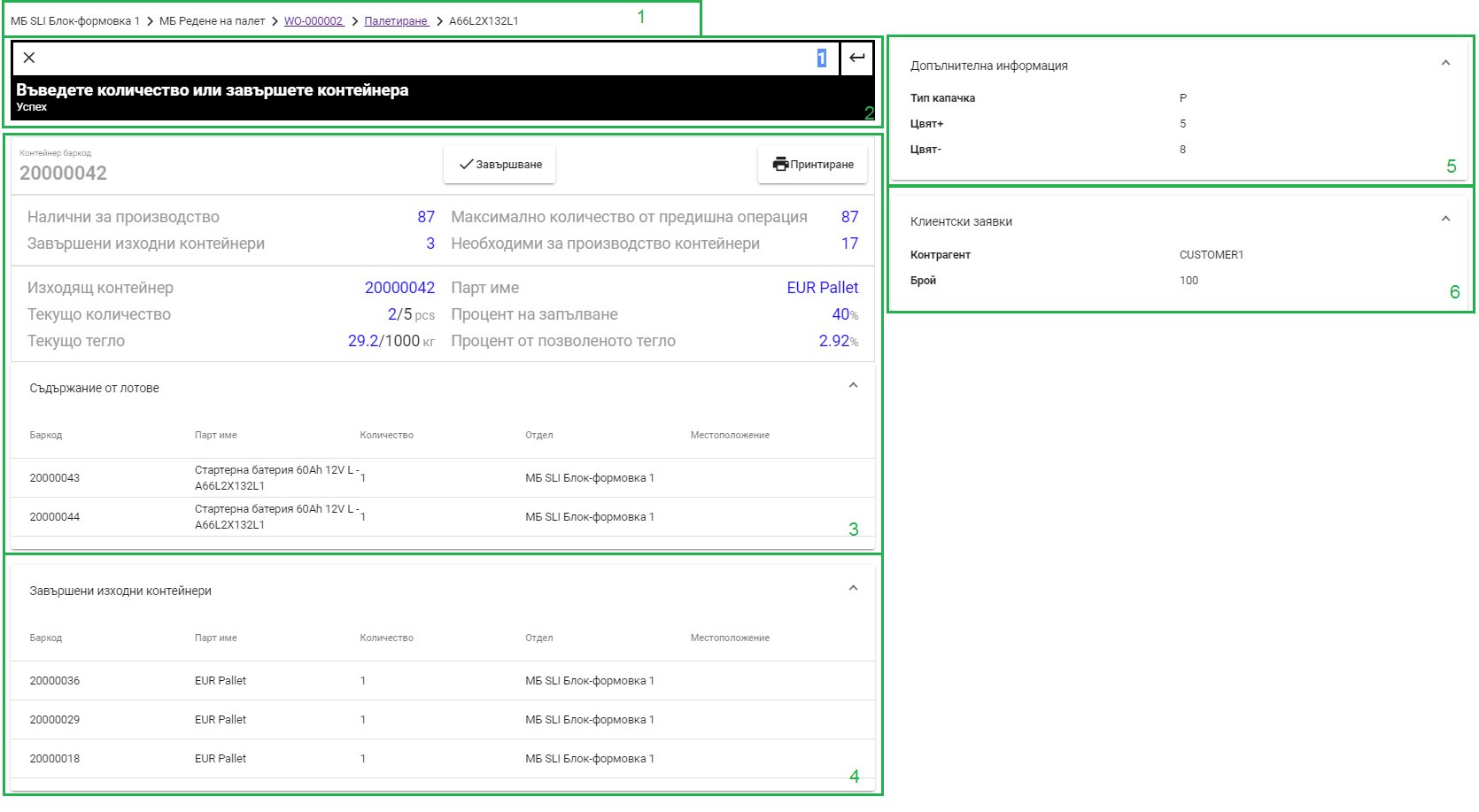
Operator Workspace
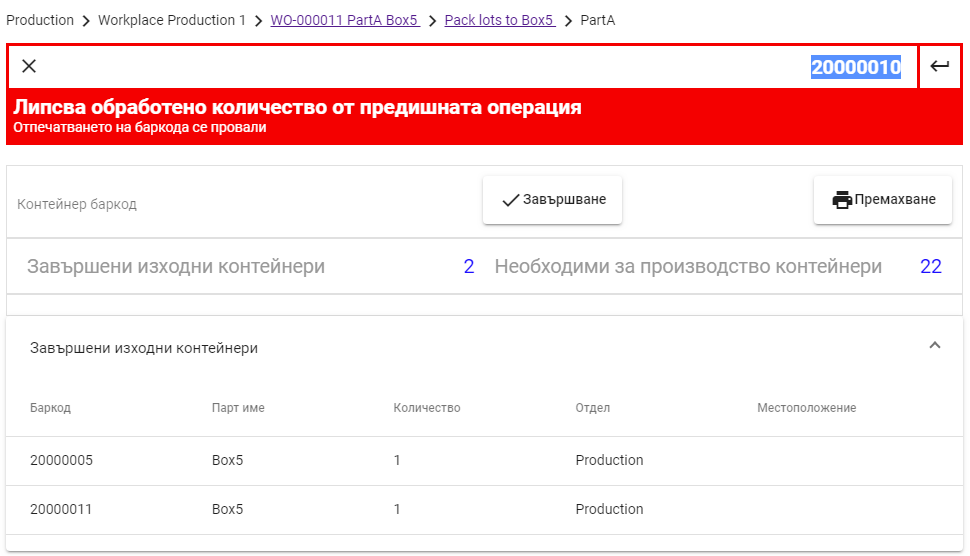
System Control
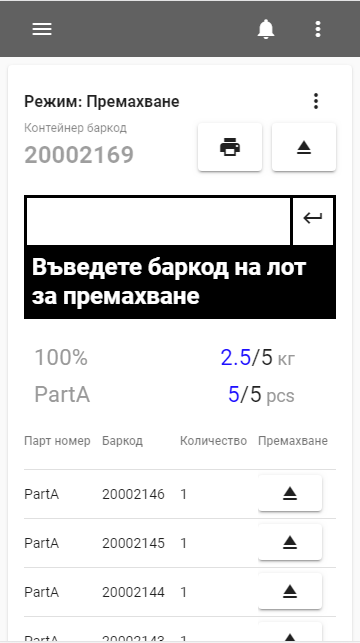
Mobile & Tablet
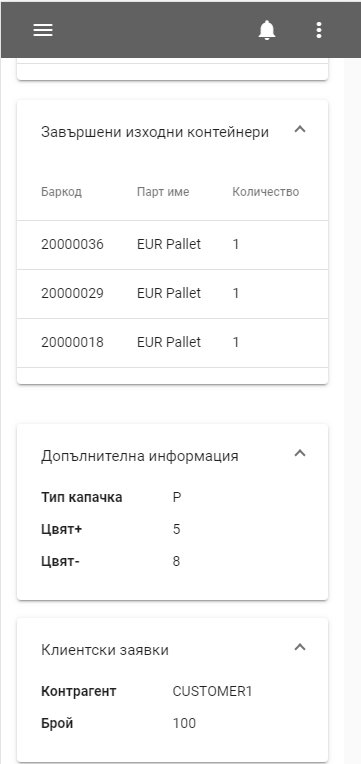
Responsive Design
The Production Cockpit
Real-time visibility into your entire operation. Monitor key metrics and make data-driven decisions.
Dashboard & KPIs
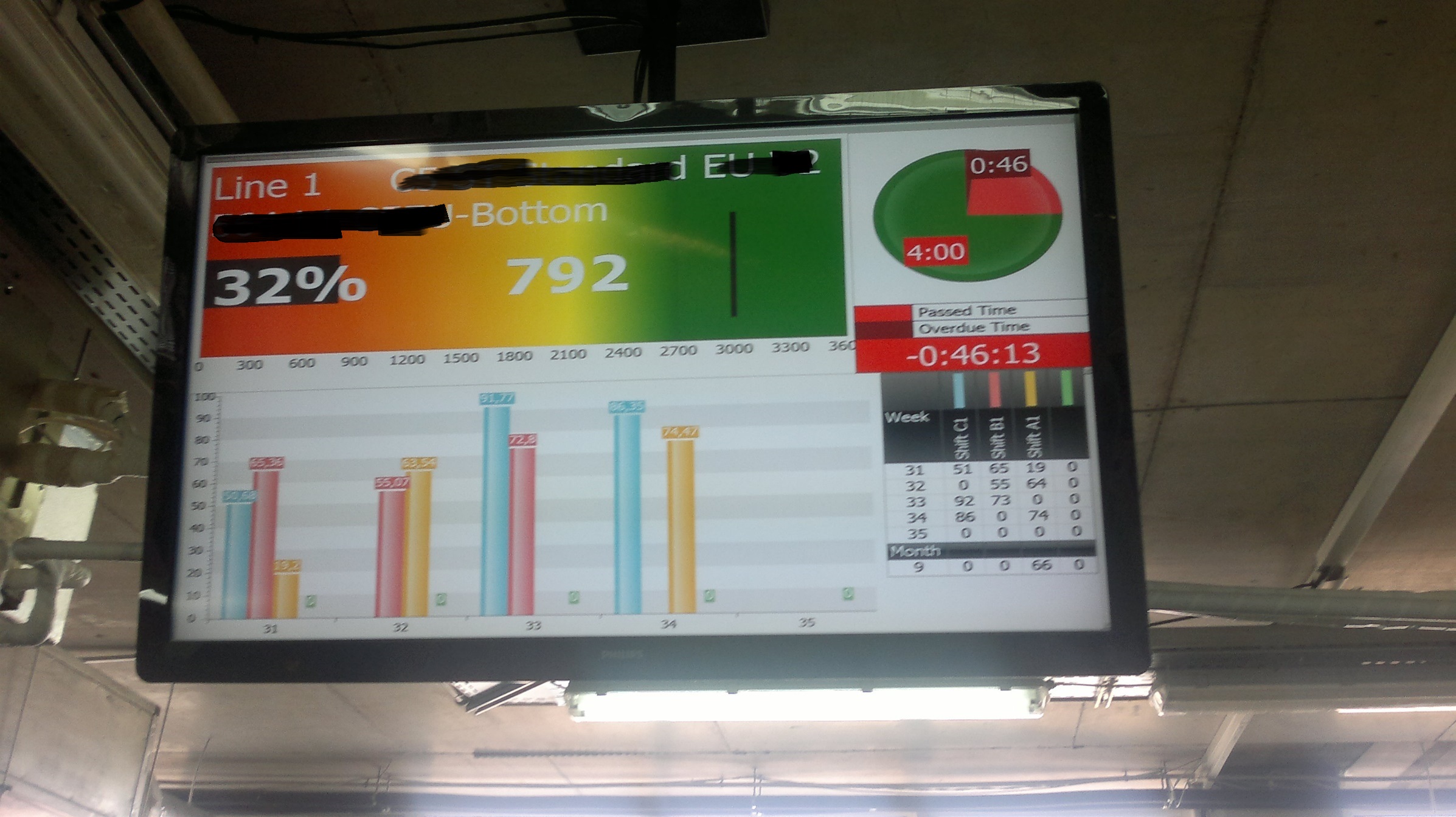
Big Screen Monitoring
The Production Cockpit
- •Shop Floor: Live production status and alerts
- •Operators: Task and line monitoring dashboards
- •Management: Real-time KPIs and analytics
Ready to see it live?
This tour showed you the workflow. Now let us show you how it fits your specific factory.